The Best ADHD Planner Apps for Adults in 2026
Seven ADHD planner apps for adults, sorted by how they help you plan: apps that decide for you, visual timelines, time blocking and routines. With platforms and honest limits.
By Julian · · 12 min read
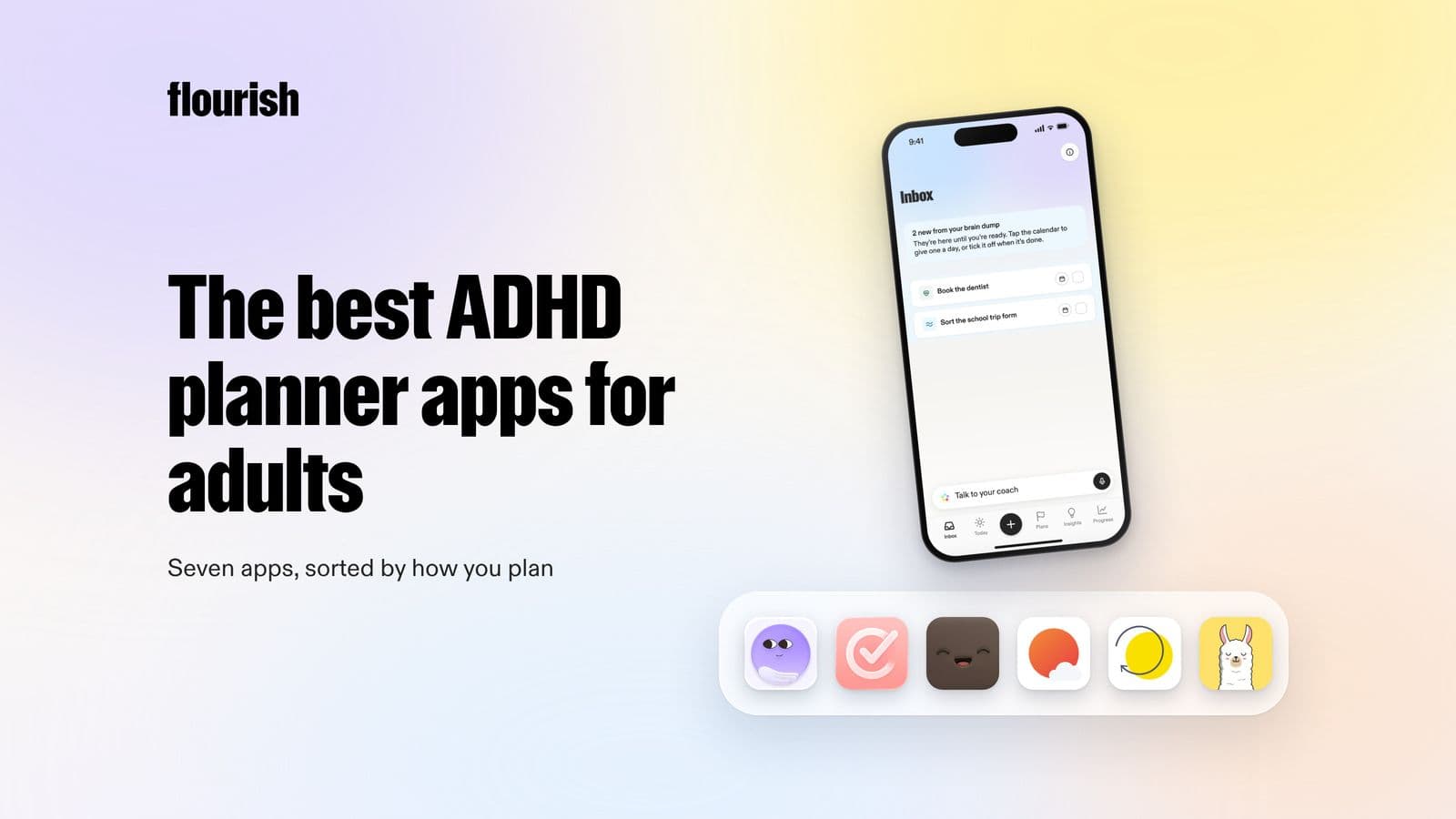
The short version
The best ADHD planner app for adults is the one that matches how planning breaks down for you: some people need the app to decide what matters today, others need to see time on a timeline or follow a routine step by step. If your mornings start with a head full of tasks and no idea which one comes first, Flourish is our top pick: you talk, it sorts and prioritises, and you get one clear to-do for the day on your lock screen, plus a coach that checks in. Tiimo is the best visual planner built for neurodivergent people, Structured is the cleanest visual timeline, Amazing Marvin and Sunsama are the strongest for time blocking, and Routinery and Llama Life are best for routines and working through a list one task at a time.
This guide is about planner apps, not paper planners. Paper works brilliantly for some people, and if a notebook keeps you on track, keep it. But an app can do three things paper cannot: it can remind you without being opened, it can reshuffle the day when it falls apart at 11am, and it can make the hardest decision, what to do first, on your behalf. For many ADHD brains, those are exactly the moments a paper planner goes quiet.
If you want the wider picture, including focus timers, body doubling and task breakdown tools, our pillar guide to the best ADHD apps for adults covers ten apps by the job they do. This post goes deeper on one job: deciding what to do today, and when.
Why do ADHD brains find planning so hard?
Planning sounds simple: write down what you need to do, put it in order, do it. In practice it asks a lot of executive function, the mental skills that handle organising, prioritising, estimating time and starting. The NHS lists "finding it hard to organise your time" and "finding it hard to follow instructions or finish tasks" among the signs of inattention in adults (NHS). Three patterns come up again and again.
Time blindness
Many adults with ADHD struggle to feel time passing or to judge how long something will take. CHADD describes time blindness as a persistent difficulty with judging and ordering time, and recommends visual schedules, planners, apps and visual timers to make time visible (CHADD, 2024). Research is still catching up: a review of a decade of studies concluded that time perception is impaired in adult ADHD, while noting that the number of studies is small (Mette, 2023). Either way, a plan built on "this will take ten minutes" often collapses by lunchtime.
Everything feels equally urgent
Without a strong internal sense of priority, a list of twelve tasks reads as twelve emergencies. Ordinary planners assume you can rank them. If ranking is the hard part, a longer, neater list just makes the problem more visible.
Planning paralysis
Sometimes the planning itself becomes the wall. You open the planner, see everything at once, and freeze. The Attention Deficit Disorder Association describes this kind of choice and task paralysis as common, though not a diagnosis (ADDA). Our guide to ADHD paralysis and how to get unstuck covers practical ways out.
The encouraging part is that planning is a skill that responds to support. In a randomised trial, adults with ADHD who learned CBT skills such as breaking big tasks into steps and planning ahead were twice as likely to see a meaningful drop in symptoms as those taught relaxation (Safren et al., 2010). A good planner app works as external structure for those same skills.
What kinds of ADHD planner apps are there?
Most planner apps fall into one of four styles. Knowing which one suits you saves a lot of downloading and abandoning.
- Decide for me: you empty your head and the app chooses what matters today. Best when prioritising is the problem.
- Visual timeline: your day appears as blocks you can see, so time feels real. Best for time blindness.
- Time blocking: you give each task a slot in your day or calendar. Best when your work is heavy and your diary is full.
- Routines: repeating sequences, like mornings and evenings, guided step by step. Best when transitions fall apart.

Many people end up combining two, for example a decide-for-me app to choose the priority and a routine app to get out of the door.
Ranked: the best ADHD planner apps for adults in 2026
1. Flourish: best for deciding what to do today

Flourish is an AI coaching app for people whose heads are full and whose lists are longer than their days. Instead of asking you to build a plan, it starts with a voice brain dump: you talk and ramble everything on your mind, in any order. Flourish sorts that ramble into tasks, prioritises them, and gives you one clear to-do for the day. That to-do also shows on your phone's lock screen, so the most important thing is the first thing you see, not something you have to remember to look up.
Then the coach takes over the parts a planner usually leaves to willpower. It reaches out proactively to help you plan, challenges what you are about to spend your time on, and offers insight, accountability and support when a day goes sideways. That matters for ADHD brains, where out of sight really can mean out of mind. It can also connect your calendar, wearables and Gmail inbox, so the plan fits the day you actually have.
- Best for: anyone stuck on "where do I even start?"
- Planner type: decide for me.
- Platforms: iOS and Android.
- Honest limitation: it is not a timeline or time-blocking tool and does not include a focus timer. If you need to see every hour of your day laid out, pair it with a visual planner.
2. Tiimo: best visual planner for neurodivergent people
Tiimo describes itself as built by and for neurodivergent people. It turns your schedule into a visual timeline, and its AI co-planner breaks tasks into steps and estimates how long they will take. There is also a to-do list for emptying your head, a focus timer that makes time visible, mood check-ins, calendar sync, and widgets and Live Activities that keep the plan in view. If you are weighing it up against other options, our guide to Tiimo alternatives compares the closest rivals.
- Best for: visual thinkers who want to see time passing.
- Planner type: visual timeline, with routine support.
- Platforms: iOS, iPadOS, watchOS, Android and web.
- Honest limitation: a visual timeline works best when your days are fairly predictable, and you still do much of the deciding about what goes on it.
3. Structured: best visual timeline
Structured lays your day out as a drag-and-drop timeline that blends tasks and calendar events. An inbox lets you capture ideas fast and sort them later, and there are subtasks, colour coding and energy-based planning. It also offers an AI planner that drafts a schedule, recurring tasks and routines, and a replan feature for tasks you missed.
- Best for: people who plan best when they can see the shape of the day.
- Planner type: visual timeline.
- Platforms: iPhone, iPad, Apple Watch, Mac, Android and web.
- Honest limitation: a timeline shows you when, not what matters most, so it helps most once you already know your priorities.
4. Amazing Marvin: best for building your own system
Amazing Marvin markets itself as built for ADHD minds and chronic procrastinators, and it is the most customisable app here, with more than 300 settings you can switch on or off. You can plan your day with time blocking and a capacity check that warns when the plan is over-full, or work spontaneously. Several features target ADHD sticking points directly: a Super Focus Mode that shows one task at a time, a Task Jar that picks your next task at random, and a Procrastination Wizard that walks you through a stuck task.
- Best for: tinkerers who enjoy shaping a system to fit their brain.
- Planner type: time blocking, or decide for me through the Task Jar.
- Platforms: Mac, Windows, web, iOS and Android.
- Honest limitation: all that choice is also a lot of decisions. If setting things up is where you get stuck, it can become a project in itself.
5. Sunsama: best for time blocking a busy work day
Sunsama is a daily planner for professionals built around a morning planning ritual and a shutdown ritual at the end of the day. It pulls tasks and events from your calendars and work tools into one list, then you drag them onto your calendar as time blocks, with a check that keeps the day's workload realistic. It also has a focus mode, break reminders and weekly objectives.
- Best for: knowledge workers whose tasks live across email, chat and project tools.
- Planner type: time blocking.
- Platforms: iOS, iPadOS, Android, macOS, Windows and Linux.
- Honest limitation: it is not designed specifically for ADHD and leans heavily towards work. The daily ritual helps, but you still have to show up for it.
6. Routinery: best routine app for mornings
Routinery turns routines into step-by-step timers. You chain tasks in order, and voice alerts tell you what to do next and when, which is useful for anyone who gets lost between "brush teeth" and "leave the house". You can pause, skip or add steps mid-routine, pick from recommended routines, and track progress over days, weeks and months.
- Best for: people whose mornings or evenings fall apart in the transitions.
- Planner type: routines.
- Platforms: iPhone, iPad, Apple Watch, Mac and Android.
- Honest limitation: it is built for repeating routines, not for planning one-off tasks or a whole day.
7. Llama Life: best for working through today's list one task at a time
Llama Life is designed to help you focus on one task at a time. Every task gets its own countdown timer, and the app shows your total list time and an estimated finishing time, a gentle fix for "I will just do one more thing". You can save preset lists for routines you repeat, park tasks on a Not Now list, and get a burst of confetti when you finish.
- Best for: people who lose track of time and like working in short sprints.
- Planner type: routines and timed lists.
- Platforms: iPhone.
- Honest limitation: you still need to decide what goes on the list and in what order.
Side by side
- Flourish: planner type: decide for me. Chooses today's priority: yes, one clear to-do. Reaches out: yes, a proactive coach.
- Tiimo: planner type: visual timeline. Chooses today's priority: helps with AI co-planning. Reaches out: widgets and Live Activities.
- Structured: planner type: visual timeline. Chooses today's priority: no, but AI can draft a schedule. Reaches out: reminders.
- Amazing Marvin: planner type: time blocking. Chooses today's priority: Task Jar picks at random. Reaches out: limited.
- Sunsama: planner type: time blocking. Chooses today's priority: you choose in a daily ritual. Reaches out: break reminders.
- Routinery: planner type: routines. Chooses today's priority: no. Reaches out: voice prompts during routines.
- Llama Life: planner type: timed lists. Chooses today's priority: no. Reaches out: limited.

What is the best ADHD routine or morning routine app?
For guided routines, Routinery is the strongest pick: it walks you through each step with timers and voice prompts, so you are not holding the whole sequence in your head. Llama Life is a good alternative if you prefer a simple timed checklist you can reuse. Tiimo and Structured both handle routines inside a wider daily plan, which suits people who want one app rather than two.
A routine app works best when the routine is short and the first step is tiny. A few tips that help:
- Keep it to 4 to 6 steps. A 15-step morning routine is a plan to fail.
- Anchor it to something that already happens, like the kettle boiling or the alarm going off.
- Put the hardest step early, before decision fatigue sets in.
- Plan for the bad morning: decide in advance which two steps survive if you oversleep.
Routines handle the repeating parts of the day. The one-off decisions, such as which of today's tasks actually matters, are where a decide-for-me app like Flourish fits alongside.
How to choose an ADHD planner app you will keep using
- Name the point where planning breaks. If you cannot choose, start with a decide-for-me app. If you lose track of time, try a visual timeline. If your diary is full, try time blocking. If mornings collapse, try a routine app.
- Fewer decisions beat more features. Every setting is a choice, and choices are tiring. The planner that asks least of you on a bad day usually wins.
- Capture has to be instant. If adding a thought takes longer than a few seconds, it will not happen. Speaking is fastest for most people, which is why voice brain dumps work well.
- Look for something that reaches out. An app you have to remember to open has already lost half the battle. Lock-screen widgets and proactive check-ins matter more than pretty themes.
- Expect to restart. Every system breaks. Choose one that does not greet you with a wall of overdue tasks after a lost week.
If you are not ready to commit to an app, you can try the decide-for-me approach with a chatbot. Our guide on how to use ChatGPT to plan your day includes prompts that work well for ADHD brains. And if your sticking point is breaking a big task into steps rather than planning the day, see our roundup of Goblin Tools alternatives.
The verdict
The best ADHD planner app depends on where planning breaks down for you. If the hardest moment is turning a crowded head into a decision about what to do first, Flourish is our pick, because it turns a spoken brain dump into one clear to-do and then checks in so it happens. Tiimo is the best visual planner built for neurodivergent people, Structured is the cleanest timeline, Amazing Marvin and Sunsama lead on time blocking, and Routinery is the best routine app for mornings.
Frequently asked questions
What is the best planner app for adults with ADHD?
It depends on what makes planning hard for you. If choosing what to do first is the problem, Flourish turns a spoken brain dump into one clear to-do and checks in on you. If you struggle to feel time passing, Tiimo or Structured show your day as a visual timeline. For time blocking a busy work day, Amazing Marvin or Sunsama are strong choices.
Is an app or a paper planner better for ADHD?
Neither is better for everyone. Paper suits people who like writing things down and reliably open their notebook. Apps can do things paper cannot: send reminders, show the priority on your lock screen, reshuffle a day that has gone wrong and, in some cases, choose what to do first for you. Many people with ADHD use both, with an app handling prompts and priorities.
What is the best ADHD morning routine app?
Routinery is a strong choice for mornings because it guides you through each step with timers and voice prompts, so you do not have to hold the sequence in your head. Llama Life works well if you prefer a simple timed checklist. Keep the routine short, anchor it to something that already happens, and decide in advance which steps to keep on a rushed morning.
What is time blindness and can an app help?
Time blindness is a common ADHD experience of struggling to sense time passing or estimate how long tasks take. Apps can help by making time visible outside your head, for example with visual timelines, countdown timers on each task or reminders that arrive at the right moment. They do not change how you perceive time, but they give you an external clock to lean on.
Why do I freeze when I try to plan my day?
Planning asks you to prioritise, estimate time and decide all at once, and when every task feels equally urgent the brain can lock up. This is sometimes called choice or task paralysis. It often helps to get everything out of your head first, then let something else pick the first task, and to make that first step very small.
This article is for general information and is not medical advice.
Keep reading

Julian
Flourishing Writer