The Best ADHD Apps for Adults in 2026: Planners, To-Do Lists and AI Coaches Compared
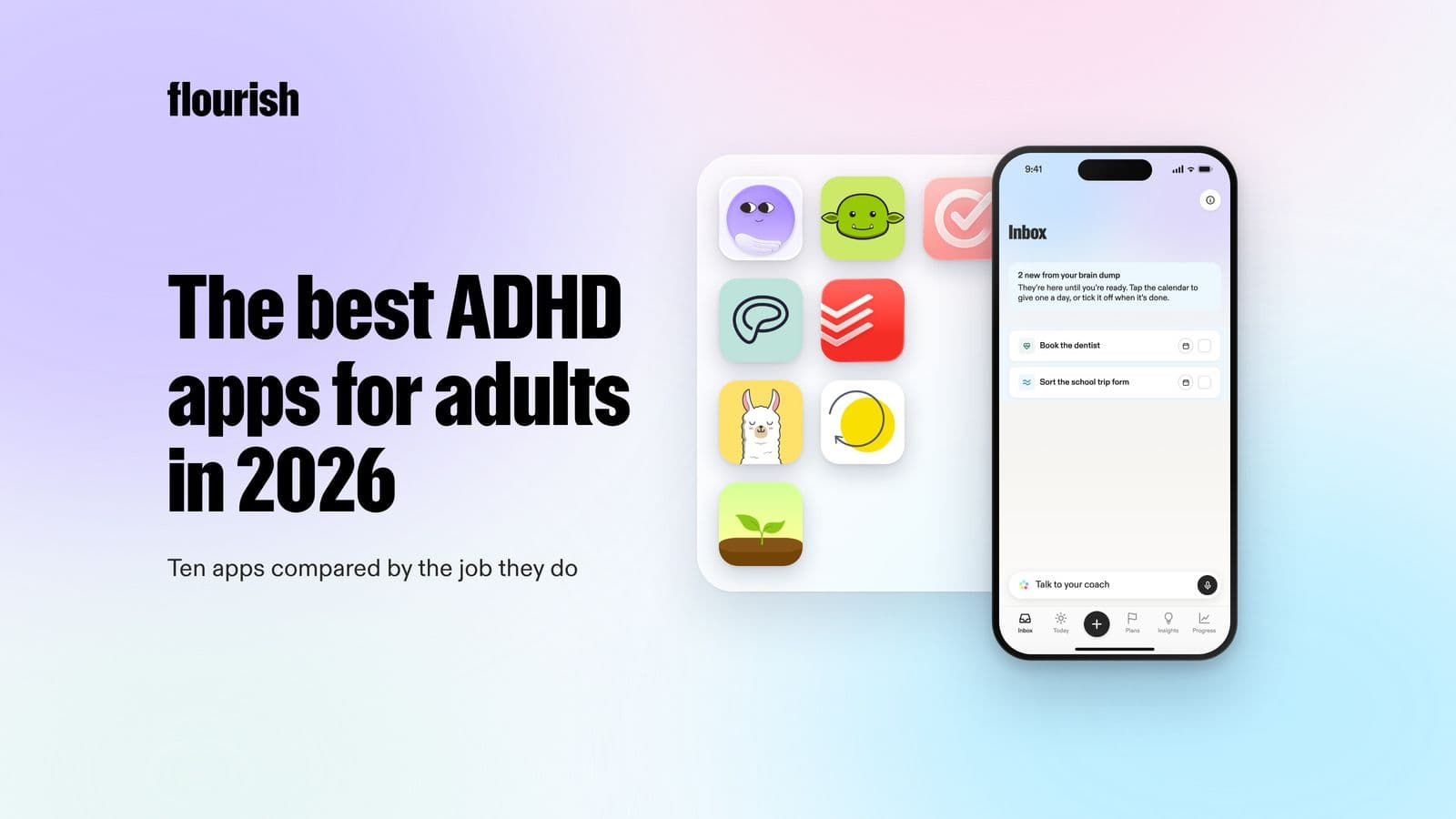
Ten ADHD apps for adults, grouped by the job they do: capturing thoughts, planning the day, starting tasks, staying focused and following through. With platforms and honest limits.
By Julian · · 11 min read
The short version
The best ADHD app is the one that fixes the specific point where your day breaks down, so it helps to choose by job rather than by star rating. For getting everything out of your head and deciding what to do first, Flourish is our top pick: you talk, it sorts and prioritises, and you get one clear to-do on your lock screen plus a coach that checks in. Tiimo is the best visual planner, Goblin Tools is the best free way to break a task into steps, Structured is the best visual timeline, and Inflow is the best structured CBT-based programme. Focusmate, Llama Life, Routinery and Forest each solve one narrower problem well. Apps support daily life, but they do not replace diagnosis or treatment.
Adult ADHD is far more common than diagnosis rates suggest. In the US, around 6% of adults, about 15.5 million people, currently have an ADHD diagnosis, and more than half of them were diagnosed as adults (CDC, 2024). In England, 13.9% of adults screened positive for possible ADHD in the 2023/24 Adult Psychiatric Morbidity Survey, while only 1.8% reported a diagnosis (NHS England, 2025).
That is a lot of people running a busy adult life with a brain that finds planning, starting and remembering harder than it should be. The right app will not fix that, but it can take real weight off. The wrong one becomes another abandoned system and another reason to feel bad. This guide is built to help you pick the right one first time.
Choose by job, not by star rating
Most ADHD app lists rank tools as if they all do the same thing. They do not. It helps to think of your day as five jobs, and to notice which one keeps failing:
- Capture: getting thoughts out of your head before they vanish or loop.
- Plan: deciding what actually matters today, and in what order.
- Start: getting over the wall between knowing and doing.
- Focus: staying with one thing long enough to finish it.
- Follow through: keeping going across days, and restarting after a bad one.

If capture and planning are your weak points, a list app with fifty features will not help. If starting is the problem, a beautiful planner will just show you, beautifully, everything you have not started. Pick for the job.
Ranked: the best ADHD apps for adults in 2026
1. Flourish: best for capture, planning and follow-through in one place

Flourish is an AI personal coach built for people with a million things in their head and no obvious place to start. You talk to it like you would talk to a friend and dump everything on your mind. It sorts that brain dump into tasks, prioritises them, and gives you one clear to-do for the day. That single to-do also sits on your phone's lock screen, so the most important thing is the first thing you see, not buried on page three of a list.
Then the coaching kicks in. Flourish reaches out proactively to help you plan, to challenge what you are about to spend your time on, and to offer accountability and support when a day or week goes sideways. It can also connect your calendar, wearables and Gmail inbox, so the plan fits your real time and energy.
- Jobs it covers: capture, plan, follow through.
- Platforms: iOS and Android.
- Honest limitation: it is a coach, not an agent. It does not do tasks for you, and it is not a focus timer.
Why it is our top pick: most ADHD systems fail at the handover between a crowded head and a clear next action. Flourish is designed around exactly that moment, and it does not wait for you to remember to open it. If the classic ADHD pattern of "the list is too long so I do nothing" sounds familiar, start here. Our guide to ADHD paralysis explains why one clear to-do works better than a long list.
2. Tiimo: best visual planner
Tiimo is a visual planner designed for neurodivergent people, and was named Apple's iPhone App of the Year for 2025. It turns your day into a colourful visual schedule, and includes an AI co-planner, a brain-dump style to-do list with AI grouping, a focus timer, calendar sync, widgets and mood tracking.
- Jobs it covers: plan, start, focus.
- Platforms: iOS, iPad, Mac, Android, Apple Watch and web.
- Honest limitation: the web app requires Pro, and a visual timeline works best for people whose days are fairly predictable.
Best for: visual thinkers who want to see time passing.
3. Goblin Tools: best free task breakdown
Goblin Tools is a set of small, single-purpose AI tools built for neurodivergent people. Magic ToDo breaks a task into steps, and the adjustable "spiciness" controls how granular those steps are. Compiler turns a typed braindump into a list of actions. Other tools help judge the tone of a message or estimate how long something will take.
- Jobs it covers: start, capture.
- Platforms: web (free, no ads), iOS and Android (paid app).
- Honest limitation: the developer is clear that output accuracy varies. It does not remember you, plan your day or follow up.
Best for: the moment you are staring at "sort out the garage" and cannot see step one.
4. Structured: best visual timeline day planner
Structured lays your day out as a vertical timeline that blends tasks and calendar events. The free version includes the timeline, an inbox, subtasks, widgets and an energy monitor. Pro adds AI features, calendar import, recurring tasks and replanning.
- Jobs it covers: plan.
- Platforms: iOS, Android and web.
- Honest limitation: recurring tasks need Pro, and you need to know what your tasks are before a timeline helps.
Best for: people who plan best when they can see the shape of the day.
5. Inflow: best structured ADHD programme
Inflow is not a planner. It is a programme based on cognitive behavioural therapy (CBT), with short daily exercises, journaling, a community and expert content, designed to help adults understand and work with their ADHD.
- Jobs it covers: follow through, understanding your patterns.
- Platforms: iOS and Android.
- Honest limitation: it is the most expensive option here. Inflow is clear that it cannot diagnose or prescribe and is not a replacement for medication or in-person therapy.
Best for: people who want to learn skills, not just manage tasks. The evidence for CBT skills is solid: in a randomised trial published in JAMA, adults with ADHD who learned CBT skills such as breaking large tasks into steps were twice as likely to see a meaningful symptom reduction as those taught relaxation (Safren et al., 2010).
6. Todoist: best task list for people who already like lists
Todoist is a mature, cross-platform task manager. Its AI features include Ramble, which turns speech into tasks with dates and priorities, and Task Assist, which suggests next steps.
- Jobs it covers: capture.
- Platforms: iOS, Android, macOS, Windows and web.
- Honest limitation: a list shows you everything, which is exactly what overwhelms many ADHD brains. It does not decide what matters today or check in.
Best for: people for whom lists already work, who want faster capture.
7. Focusmate: best for body doubling
Focusmate pairs you with another person for a live, silent co-working session on video. You each say what you will work on, then get on with it. Many ADHD adults find the presence of another person makes starting easier.
- Jobs it covers: start, focus.
- Honest limitation: ADDA notes there is no research yet that proves body doubling works, though many people report it helps.
Best for: people who can work when someone else is working too.
8. Llama Life: best for one task at a time
Llama Life shows a list where every task has its own countdown timer, so you work through one thing at a time with a sense of time passing. It shows the total time for your list and celebrates finished tasks.
- Jobs it covers: focus, start.
- Platforms: iOS and web.
- Honest limitation: you still need to decide what goes on the list.
Best for: people who lose track of time and like working in sprints.
9. Routinery: best for routines
Routinery turns routines into step-by-step timers, useful for mornings, evenings and the small tasks that make up a transition. It supports habit stacking and templates.
- Jobs it covers: start, follow through.
- Platforms: iOS, Android, web and watch.
- Honest limitation: built for repeating routines, not one-off tasks.
Best for: people whose mornings fall apart before 9am.
10. Forest: best simple focus timer
Forest grows a virtual tree while you stay off your phone, and coins you earn can fund real tree planting. It is simple, gentle and surprisingly effective at making phone-checking feel costly.
- Jobs it covers: focus.
- Platforms: iOS, Android and browser extensions.
- Honest limitation: a timer only, with no tasks or planning.
Best for: people whose focus leaks into their phone.
Side by side
- Flourish: jobs: capture, plan, follow through. AI: yes, a proactive coach.
- Tiimo: jobs: plan, start, focus. AI: co-planner.
- Goblin Tools: jobs: start, capture. AI: task breakdown.
- Structured: jobs: plan. AI: Pro only.
- Inflow: jobs: skills, follow through. AI: no.
- Todoist: jobs: capture. AI: Ramble and Task Assist.
- Focusmate: jobs: start, focus. AI: no.
- Llama Life: jobs: focus, start. AI: no.
- Routinery: jobs: start, follow through. AI: no.
- Forest: jobs: focus. AI: no.

How to choose an ADHD app that you will still use in a month
- Find your failure point first. Think about yesterday. Did it fail because you forgot something, did not know where to start, could not get going, drifted, or gave up after a bad morning? Pick the app for that job.
- Fewer decisions, not more features. Every setting you have to configure is a decision, and decisions are expensive. Tools that make a sensible choice for you, such as one clear to-do for today, usually outlast tools that offer a hundred options.
- Capture must be instant. If adding a thought takes more than a few seconds, you will not do it. Voice capture is the fastest option for most people.
- Look for something that reaches out. "Out of sight, out of mind" is not a character flaw, it is how many ADHD brains work. An app you have to remember to open has already lost half the battle. Proactive check-ins, lock-screen widgets and gentle nudges matter.
- Plan for the bad day. Every system breaks. Choose one that makes restarting easy and does not greet you with a wall of overdue tasks.
- Stack two at most. A capture-and-plan app plus a focus tool is plenty. Five apps is a new job.
Popular app stacks that work
- Overwhelmed and stuck: Flourish for the brain dump and one clear to-do, plus Goblin Tools when a task needs breaking down.
- Visual planner: Tiimo or Structured for the day's shape, plus Forest for focus blocks.
- Wants to understand their ADHD: Inflow for skills, plus Flourish for daily follow-through.
- Works best with others: Focusmate for starting, plus a simple planner for choosing what to work on.
When an app is not enough
Apps are support, not treatment. If you suspect you have ADHD, or your symptoms are affecting work, relationships or wellbeing, speak to your GP or a qualified clinician about assessment and options. Medication, therapy and coaching are all evidence-based routes, and many people combine them with tools like the ones above.
The verdict
Choose an ADHD app by the job it does. If your hardest moment is the gap between a crowded head and knowing what to do next, Flourish is our pick, because it turns a spoken brain dump into one clear priority and then checks in so it actually happens. Tiimo is the best visual planner, Goblin Tools is the best free way to get started on a daunting task, and Inflow is the best choice if you want structured CBT-based skills.
Frequently asked questions
What is the best app for adults with ADHD?
It depends on where your day breaks down. For capturing everything in your head and deciding what to do first, Flourish is a strong choice because it turns a voice brain dump into one clear to-do and checks in on you. For visual planning, Tiimo is the most popular. For breaking tasks into steps, Goblin Tools is free and simple.
What is the best free ADHD app?
Goblin Tools is free on the web with no ads. Flourish, Tiimo, Structured, Routinery and Forest all have free versions, and Focusmate offers three free body-doubling sessions a week. Free tiers usually limit AI or advanced planning features.
Do ADHD apps actually help?
They can help with specific tasks such as capturing thoughts, planning and starting, especially when they reduce decisions rather than add them. The strongest evidence is for skills-based approaches like CBT, where learning to break tasks down and plan ahead improved symptoms in trials. Apps are support, not a substitute for diagnosis or treatment.
What is the best to-do list app for ADHD?
Long lists often overwhelm ADHD brains, so the best to-do app for ADHD usually shows less. Flourish surfaces one clear to-do on your lock screen, and Llama Life shows one task at a time with a timer. Todoist works well for people who already like lists.
Is Tiimo or Structured better for ADHD?
Both are visual planners. Tiimo is designed specifically for neurodivergent people and includes an AI co-planner, focus timer and mood tracking. Structured is a clean timeline planner with a generous free version. If you prefer seeing the day as a timeline, try Structured; if you want more support built in, try Tiimo.
Can AI help with ADHD?
Yes, in practical ways. AI can turn a messy brain dump into a list, break a task into steps, choose a priority and check in on you. Tools like Flourish and Goblin Tools are built around this. It works best as external structure, alongside professional support where needed.
This article is for general information and is not medical advice.
Keep reading

Julian
Flourishing Writer