The Best Goblin Tools Alternatives in 2026
Goblin Tools is brilliant at breaking one task into steps. If you need something that also decides what matters today and checks in on you, these are the best alternatives, with honest limits.
By Julian · · 11 min read
The short version
The best Goblin Tools alternative depends on what you need after a task is broken down. If you want something that takes everything on your mind, decides what matters today and then checks in on you, Flourish is our top pick: you talk, it sorts and prioritises, and you get one clear to-do on your lock screen plus a coach that reaches out. Tiimo is the best choice if you want breakdowns inside a visual daily planner, ChatGPT is the most flexible do-it-yourself task breaker, and Todoist suits people who already live in a task list.
Saner.ai, Structured and Llama Life each solve a narrower problem well. And if all you ever need is "turn this scary task into small steps", Goblin Tools may still be the right tool for you. We explain when to stay put further down.
What Goblin Tools does well
Goblin Tools is a collection of small, single-purpose AI tools made for neurodivergent people. It is free on the web at goblin.tools, with apps for iOS and Android. The best known is Magic ToDo: type in a task like "clean the kitchen" and it breaks it into steps, and you can break any step down again. A chilli "spiciness" setting tells it how hard the task feels, and the spicier you set it, the more steps it creates. It can also estimate how long things will take and prioritise the list, and it exports to tools like Todoist, Notion and TickTick.
The other tools are just as focused. Compiler turns a typed brain dump into a list of actions. Judge reads the tone of a message, Formalizer rewrites text in a different tone, Estimator guesses how long an activity will take, Consultant helps you weigh a decision, Professor explains a topic, Chef makes a recipe from what is in your cupboard, and the newer Taskmaster walks you through a list one task at a time. Accounts now let you keep history and sync lists across devices.
That is a genuinely useful kit, and it has helped a lot of people get past the wall of a task that feels too big to start. The developer is also refreshingly honest that the output is guesswork, not truth.
Why people look for a Goblin Tools alternative
Goblin Tools is excellent at one moment: you already know which task you need to do, and you need step one. Most people who go looking for an alternative have hit one of these gaps instead:
- It does not know you. Each tool works on what you type in front of it. It does not build up a picture of your goals, your week or what usually trips you up.
- It does not decide what matters today. Magic ToDo can prioritise a list you give it, but deciding which of thirty competing things deserves today is a different job, and it needs context about your life.
- It does not follow up. There are no check-ins or nudges. If you close the tab, the plan waits silently until you remember it exists.
- It starts with typing. Many people think faster out loud, especially when their head is full.
For ADHD brains in particular, the hardest part is often not breaking one task down, it is choosing which task in the first place. Our guide to ADHD paralysis explains why a long list of equally urgent things can freeze you, and why one clear next step works better.

The best Goblin Tools alternatives in 2026
1. Flourish: best for going from a full head to one clear to-do

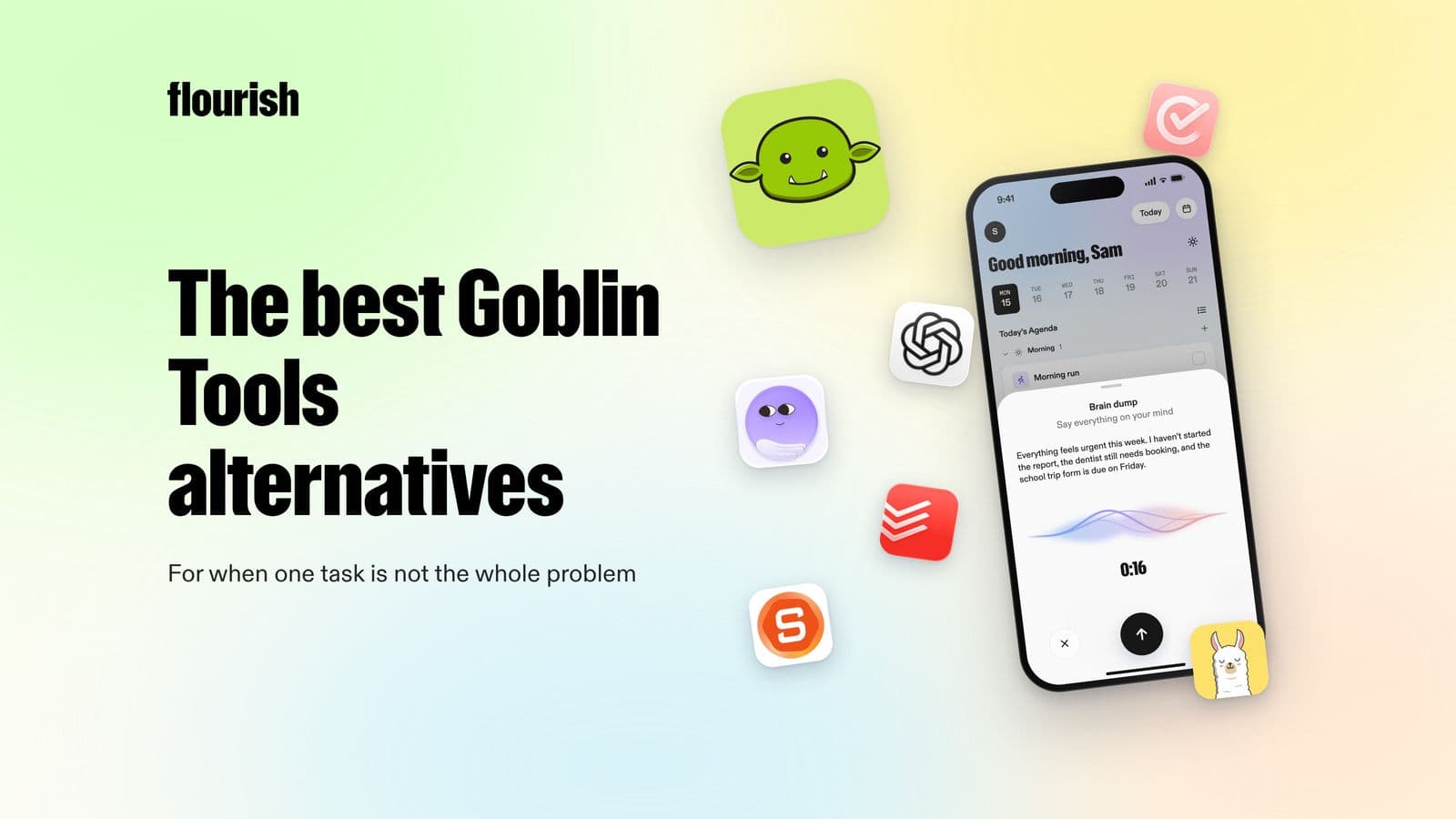
If Goblin Tools helps with one task, Flourish is built for the whole day. Instead of typing a task into a box, you talk to it like you would talk to a friend and ramble everything on your mind: the work deadline, the dentist, the birthday present, the thing you keep forgetting. Flourish sorts that spoken brain dump into tasks, prioritises them, and gives you one clear to-do for the day. That to-do also shows on your phone's lock screen, so the most important thing is the first thing you see.
Then it keeps going where a task breaker stops. Flourish is an AI coach that reaches out to you proactively: to help you plan, to challenge what you are about to spend your time on, and to offer insight, accountability and support when the day goes sideways. You do not have to remember to open it for it to help. It can also connect your calendar, wearables and Gmail inbox, so the plan fits the day you actually have.
- Best for: people who have too much in their head and struggle to choose where to start.
- Platforms: iOS and Android.
- Honest limitation: it is a coach, not an agent. It does not do tasks for you or run a focus timer, and it is not a treatment for ADHD.
Why it is our top pick: Goblin Tools answers "how do I do this task?". Flourish answers the question that comes first, "what should I actually do today?", and then checks the answer happened.
2. Tiimo: best for breakdowns inside a visual planner
Tiimo is a visual planner designed for neurodivergent people, and it won iPhone App of the Year at the 2025 App Store Awards. Its AI Co-planner lets you type or speak what is on your mind, then turns it into tasks, splits bigger tasks into smaller steps, estimates time and suggests a schedule based on your capacity. It also has a to-do tab for unscheduled items, a visual focus timer, widgets and Live Activities.
- Best for: visual thinkers who want to see each step placed on the day.
- Platforms: iOS, iPadOS, Apple Watch, Android and web.
- Honest limitation: Tiimo's own guide says the AI Co-planner is currently iOS only, and a timeline works best when your days are fairly predictable.
If you are weighing it up, our roundup of Tiimo alternatives compares it with other visual planners.
3. ChatGPT: best do-it-yourself task breaker
ChatGPT can do everything Magic ToDo does and more, as long as you ask well. Paste in a messy brain dump, ask it to break the hardest item into 10-minute steps, then ask which three things matter most today. It has apps for iPhone, Android, Mac and Windows, and you can have a voice conversation with it on mobile, which helps if you think out loud.
- Best for: people who like experimenting and do not mind writing prompts.
- Platforms: web, iOS, Android, Mac and Windows.
- Honest limitation: it is a general assistant, not a planner. You set the structure each time, and it waits for you to come back rather than checking in.
Our guide on how to use ChatGPT to plan your day includes prompts you can copy straight in.
4. Todoist: best for people who already like lists
Todoist is a mature task manager with two AI features that overlap with Goblin Tools. Ramble lets you speak naturally and turns what you say into tasks with dates, priorities and durations, in 40 languages. The Task Assist extension can break a complex task into sub-tasks, suggest a next step or rewrite a task so it is easier to start.
- Best for: people who want Goblin Tools style breakdowns inside a full task manager.
- Platforms: iOS, Android, macOS, Windows and web.
- Honest limitation: Task Assist works on web and desktop, not on the iOS or Android apps. And a long list still shows you everything at once, which is exactly what overwhelms many ADHD brains.
5. Saner.ai: best for people whose tasks live in email and notes
Saner.ai describes itself as an ADHD-friendly AI personal assistant for notes, email and calendar. You capture thoughts by typing or voice, and its assistant, Skai, turns notes and emails into tasks, helps split tasks into steps and can help plan your day. It connects to Gmail, Google Calendar, Google Drive and Slack.
- Best for: knowledge workers whose to-dos are scattered across inboxes and documents.
- Platforms: web, Chrome extension, iPhone and iPad.
- Honest limitation: it is a broad workspace with a lot going on, which suits some people and is too much for others.
6. Structured: best for turning tasks into a timeline
Structured is a visual day planner that puts tasks, calendar events and focus sessions on one timeline. Structured AI takes text or voice instructions, or a photo of a paper planner or list, and turns them into tasks you can review before they land on your timeline.
- Best for: people who plan best when they can see the shape of the day.
- Platforms: iPhone, Apple Watch and web. Structured says its AI is on Apple devices only for now.
- Honest limitation: it does not break a task into steps the way Magic ToDo does. You still need to know what your tasks are.
Our list of the best ADHD planner apps covers Structured and other timeline planners in more depth.
7. Llama Life: best for working through one task at a time
Llama Life gives every task on your list its own countdown timer, so you work through one thing at a time with a sense of time passing. It shows your list's total time and an estimated finish time, has a Not-Now list for parking tasks, saves routines as presets, and celebrates each finished task with confetti.
- Best for: people who already have their steps and lose track of time doing them.
- Platforms: iPhone and web.
- Honest limitation: it does not break tasks down or decide what goes on the list. It pairs well with a task breaker rather than replacing one.
Side by side
- Flourish: starts from a spoken brain dump. Sorts and prioritises: yes, into one clear to-do for today. Follows up: yes, a proactive coach.
- Goblin Tools: starts from typed tasks. Breaks down: yes, with adjustable spiciness. Follows up: no.
- Tiimo: starts from typed or spoken plans. Breaks down: yes, with time estimates. Follows up: visual schedule and timers.
- ChatGPT: starts from anything you type or say. Breaks down: yes, if you prompt it. Follows up: no, it waits for you.
- Todoist: starts from typed or spoken tasks. Breaks down: yes, on web and desktop. Follows up: reminders on tasks you set.
- Saner.ai: starts from notes, email and documents. Breaks down: yes. Follows up: helps plan your day.
- Structured: starts from text, voice or a photo. Breaks down: no. Follows up: timeline and notifications.
- Llama Life: starts from a list you make. Breaks down: no. Follows up: timer per task.

When to stay with Goblin Tools
Goblin Tools is still the right choice for plenty of people. Stay with it if:
- You already know what to work on and only get stuck on how to start a specific task.
- You want a quick, no-fuss web tool you can open, use for two minutes and close.
- You like its other helpers, such as Judge for checking whether a message sounds too blunt, or Formalizer for rewriting one.
- You do not want an app that reaches out to you.
Many people use both. A common pairing is Flourish to decide the one thing that matters today, then Goblin Tools if that one thing still feels too big to start. Our pillar guide to the best ADHD apps for adults shows more combinations like this.
How to choose the right alternative
- Find where your day breaks. If you freeze on a single task, you need a breakdown tool. If you freeze because there are too many tasks, you need something that prioritises.
- Match how you think. If ideas come faster out loud, pick an app that takes voice. Flourish, Tiimo, Todoist Ramble and ChatGPT all do.
- Look for something that reaches out. "Out of sight, out of mind" is how many ADHD brains work. An app that checks in beats one you have to remember to open.
- Fewer decisions, not more features. One clear next step tends to outlast a beautifully organised list of forty.
- Stack two at most. One tool to decide, one to help you start or focus, is plenty.
The verdict
Goblin Tools is one of the best ways to break a single task into steps, and it deserves its reputation. But breaking a task down is only one part of getting through a day. If you need something that takes the whole jumble in your head, decides what matters today and then checks in so it actually happens, Flourish is our pick. Tiimo is the best choice for a visual planner with AI breakdowns, ChatGPT is the most flexible option if you enjoy prompting, and Todoist is best if lists already work for you.
Frequently asked questions
Is there an app like Goblin Tools?
Yes. Several apps break tasks into steps the way Goblin Tools' Magic ToDo does. Tiimo's AI Co-planner splits tasks into steps with time estimates, Todoist's Task Assist breaks complex tasks into sub-tasks, and ChatGPT can do it if you ask. Flourish goes a step further by turning a spoken brain dump into one prioritised to-do for the day and checking in with you afterwards.
Is Goblin Tools good for ADHD?
Many people with ADHD find it very helpful for getting started on a task that feels too big. Magic ToDo breaks it into small steps, and the spiciness setting lets you ask for more detail when a task feels harder. It does not plan your whole day, remember your goals or follow up, so some people pair it with an app that does.
What does the spiciness setting in Goblin Tools do?
The chilli spiciness setting in Magic ToDo tells the tool how hard or stressful a task feels to you. The spicier you set it, the more steps it tries to break the task into. You can change it at any time, and it applies to every item on your list, so you can turn it up on a tough day.
What is the best Goblin Tools alternative for iPhone?
Flourish is our top pick on iPhone if you want to speak a brain dump and get one clear priority for the day, with a coach that checks in. Tiimo is a strong choice if you prefer a visual planner, and its AI Co-planner is currently available on iOS. Llama Life works well on iPhone for working through tasks one at a time.
Can ChatGPT replace Goblin Tools?
For breaking tasks into steps, mostly yes. ChatGPT can split a task into small actions, estimate time and suggest an order, and you can talk to it by voice on mobile. The trade-off is that you have to write the prompts and set the structure each time, and it will not check in on you. Goblin Tools is quicker for a single task.
Should I use Goblin Tools and another app together?
Often that works best. Use a planning app such as Flourish to decide which one thing matters most today, then open Goblin Tools if that task still feels too big to start. Keep it to two tools at most, because every extra app is another system to maintain and another thing to forget.
This article is for general information and is not medical advice.
Keep reading

Julian
Flourishing Writer